ntroduction
Asha phones. They take you a long way, but yet make you always want more. In this case, more would mean something with Windows Phone inside. Looks like the right thing for Nokia to do - keep customers in the Lumia waiting room, and away from Android temptation. That said, the Ashas have been putting the smart in dumbphones for a while now, so a cheap droid isn't the only option that users shopping for a touch phone with apps, games and fast data can afford.
The Nokia Asha 501 did well to demonstrate the platform's new look and feel, ticking some right boxes for a smartphone wannabe: touchscreen, Wi-Fi, fresh and reasonably fluid OS, and an app store. The Asha 502 and Asha 503 followed it up - the first one adding to the camera, while the one we are looking at now is the lineup's top spot, the 3G-enabled Asha 503.
The Nokia Asha 503 is obviously the most feature-rich of the new Asha generation, with a Gorilla Glass-covered 3" QVGA capacitive display, a 5MP camera with LED flash, 3G and Wi-Fi connectivity, optional dual-SIM support, plus expandable memory and the latest Asha Software Platform v1.2.
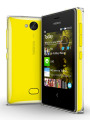
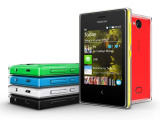
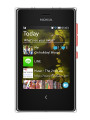
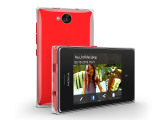
Nokia Asha 503 official pictures
Sticking to a proven recipe, the new Asha 503 is available in six different flavors: yellow, black, green, red, blue and white. Nokia has those eye-catching paintjobs coated in an extra layer of icing, a nice and easy way to jazz up the looks. And it's a phone that looks fresh on the inside too - the swipe-driven UI with Fastlane, the ability to run a handful of popular apps and games, a proper app store, social services, good organizing skills and internet connectivity.
Key features
- Quad-band GSM, GPRS, EDGE
- Dual-band 3G with HSPA
- Optional dual-SIM support, dual standby, hot-swappable secondary microSIM
- Nokia Asha software platform 1.2
- 3" QVGA capacitive touchscreen, ~133 ppi, Corning Gorilla Glass 2
- Proximity sensor
- Accelerometer, display auto-rotation
- 64MB RAM, 128MB ROM, 40MB internal storage
- Data-efficient Nokia Xpress browser
- Nokia Store and 40 EA games for free
- 5.0 MP camera, VGA video recording @19fps, LED flash
- microSD card support (up to 32 GB) and 4 GB microSD card in the box
- Wi-Fi b/g/n connectivity
- FM radio with RDS
- Bluetooth v3.0
- Standard microUSB port, charging
- 1200 mAh Li-Ion battery
- Excellent loudspeaker performance
- Solid codec support
Main disadvantages
- Low-resolution screen
- Fixed-focus camera
- No smart dialing
It's a small handset with an even smaller screen and that won't be everyone's cup of tea. After all, screen real estate has only been getting cheaper. The resolution is nothing to write home about either, Ashas are at the very bottom of the food chain at QVGA. On a second thought, there're still droids launching with this kind of display resolution. On a positive note, the Asha 503's screen is covered with Gorilla Glass 2 and it is the first of its kind to offer Wi-Fi n connectivity, enabling faster data transfers.
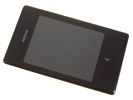
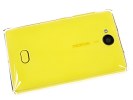
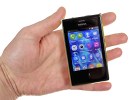
Nokia Asha 503 at ours
You obviously can't have everything and then demand the best of it for this kind of cash. The inevitable compromises aside, the Asha 503 is promising to keep you up-to-date, connected and entertained - and it'll give it a decent try. Now, is it enough or is that short step to entry-level smartphones worth it? Let's see. Our hardware checkup follows right after the break.
Nokia Asha 503 retail package
There isn't much room in the Asha 503's retail package except for the basics - a microUSB Nokia charger is supplied, as well as a single piece pink headset.
Nokia is also throwing a complimentary 4GB microSD card. No need to search for it in the box though, it is already inserted in the phone's memory slot.
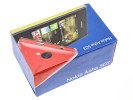
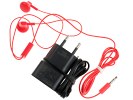
Nokia Asha 503 retail box
What's missing in the Asha 503's box is a data cable. If you want to use the Mass Storage or do some synching with your computer, you'll have to provide your own.
Nokia Asha 503 360-degree spin
The Nokia Asha 503 is very compact and pocket-friendly handset. At 102.6 x 60.6 x 12.7mm, it's a mere 3mm taller and 2mm wider than the Asha 501. It weighs in at 110g, 12g more than Asha 501 that is. Both the extra width and weight go down to the icing - the transparent layer the phone is wrapped in.
Design and handling
Long story short, the Asha 503 design is just an Asha 501 body in an ice-cube - the transparent coating is pretty much overcooked hyperglaze, but it doesn't look as bad as it sounds. Perhaps the bright yellow of our test unit looks like a splash of paint underneath, liquid, almost milky.
We still can't quite decide whether this is a very smart idea or a total waste of material, but we kinda like the look. Not so sure about the feel though. The outer coating tends to get greasy like no other finish we've handled. Fingerprints aren't as prominent as on some glossy plastic handsets we've encountered, but they're definitely there and quite hard to clean too.
The 3" capacitive QVGA display has more than ample bezels, but with a good reason - most of the UI swipes start off the screen. Still, on a phone this size everything is well within comfortable reach and the capacitive display is pleasingly responsive.
The hardware Back button is gone, replaced by a capacitive control. It is still the only means of UI navigation - taps and swipes do all the rest. We feared a capacitive control would stand in the way of swipes starting off the bottom of the screen but that was never the case.
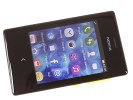
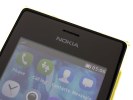
Nokia Asha 503 up front
As usual, the earpiece is above the screen, along with a hidden proximity sensor. There is no light sensor for automatic brightness adjustment, though.
At the back we find the 5.0MP fixed-focus camera lens, the small single-LED flash and a nub at the bottom to push the phone out of the case.
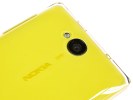
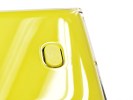
On the back - the 5MP cam and the nub you'll use to open the Asha 503
We like how the Nokia Asha 503 looks. It is certainly a bit odd at first with the new transparent layer that can make you think the phone has been put into a case. It is definitely not a feature everyone will be crazy about, especially considering the compromised grip. The Asha 501 is clearly the safer choice in terms of aesthetics but the looks of the 503 can and will be appreciated too.
The Nokia Asha 503 is compact, portable and no hassle to operate single-handedly. Additional battery covers are sold separately so you can freshen up your phone anytime you like.
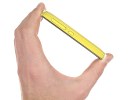
The Nokia Asha 503 in the hand
Display
The display on the Nokia Asha 503 is a 3" TFT unit of QVGA (240 x 320) resolution, which boils down to around 133ppi - the same as the one we saw on the Asha 501. It is of the capacitive variety with multi-touch support, and this time around it even boasts Gorilla Glass 2.
Colors aren't too great and contrast is limited, but you can't expect much better in this price range. The screen is reasonably bright for an LCD, though its viewing angles are less than stellar. Size may be an issue, as well as resolution, but the response to user input is great.
The display
Our test confirmed the mediocre contrast levels at both full brightness and 50%.
| Display test | 50% brightness | 100% brightness | ||||
| Black, cd/m2 | White, cd/m2 | Black, cd/m2 | White, cd/m2 | |||
| Nokia Asha 503 | 0.28 | 178 | 647 | 0.56 | 358 | 635 |
| Nokia Lumia 520 | - | - | - | 0.51 | 422 | 834 |
| Sony Xperia E | 0.19 | 157 | 813 | 0.50 | 433 | 875 |
| Sony Xperia E dual | 0.21 | 181 | 844 | 0.54 | 473 | 870 |
| Sony Xperia tipo | - | - | - | 0.75 | 561 | 751 |
| Samsung S7500 Galaxy Ace Plus | 0.27 | 239 | 873 | 0.6 | 528 | 888 |
| Apple iPhone 5 | 0.13 | 200 | 1490 | 0.48 | 640 | 1320 |
| Motorola Moto G | 0.35 | 315 | 906 | 0.57 | 550 | 967 |
| Sony Xperia C | 0.18 | 151 | 842 | 0.66 | 639 | 962 |
Controls
All hardware controls of the Nokia Asha 503 are on the right side. There you can find the power/lock key and the volume rocker. Both are made of nice matte plastic, offer great tactile feedback and are very easy to locate by touch.
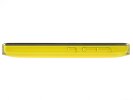
The right side of the Asha 503
There is nothing on the left side of the Nokia Asha 503.
The left side of the Asha 503
At the top there's the microUSB port for charging and data connections. The 3.5 mm headphones jack is also around. Unlike the Asha 501, Nokia has decided not to use the old-gen charging port here.
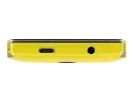
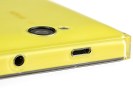
On the top of the Asha 503
The bottom features the microphone pinhole only.
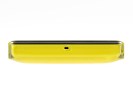
The bottom has the mic
Removing the back cover is easy - a push on the nub at the bottom will make the phone's bottom part pop out of the shell. Not as easy as on the Asha 501 though - the slippery surface won't allow a secure hold, so a little extra caution is in order.
You can then go on and take the phone out. Once the battery cover is gone you can access the 1200 mAh Li-Ion battery and the SIM slot beneath. The hot-swappable microSD is on the side.
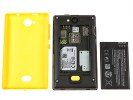
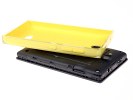
Removing the back cover to access the battery, the SIM card and the microSD slot
The battery life of the Asha 503 is quoted at 840 hours of stand-by and 12 hours of calls over 2G networks or just 4 hours and 30 minutes in a 3G network.
Fastlane is where everything happens
Since it went full touch Nokia's Asha Software Platform has always had a lot in common with the abandoned MeeGo - the app drawer/homescreen, the multi-tasking, some icons, even the notification area. The Asha 503 runs on the latest 1.2 version of the software, which brings WhatsApp support and better Fastlane UI with social updates.
The Asha platform relies on a single capacitive Back key, and it is only really needed when you need to go a level up from a submenu. For everything else, swipes and taps will do. A double tap will wake the phone up, swiping an app off the screen will close it. We told you - the whole thing is modeled after MeeGo.
The lockscreen doesn't have any active shortcuts to directly launch apps but it will display notifications for missed calls, incoming messages or calendar events. These will take you right to the relevant app, be it the dialer, calendar or messaging. The new 1.2 version introduces an easy way to launch the camera straight from here too - what you need to do is swipe upwards from the bottom of the screen. It's really useful since no Asha comes with a hardware shutter key.
The lockscreen also got another new feature - show the contents of notifications. Now you can choose whether to see just an icon for each new notification or the entire content of that notifications. If you aren't concerned about your privacy then the latter is certainly more convenient.
A double tap will nudge the phone out of standby and display the lockscreen - you need to enable the option in the settings.
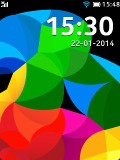
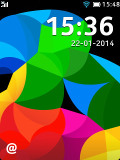
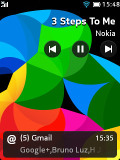
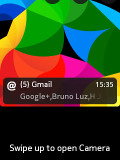
Lockscreen
The iconic Glance Screen with notifications is available as well.
The Glance Screen
Moving past the lockscreen you arrive at the centerpiece of the platform - its two homescreens. Those two include an app launcher and the so-called Fastlane. It's a simplified version of MeeGo's three screen layout (social updates, app drawer and social updates), only two of those have been merged together.
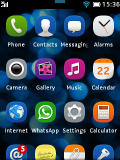
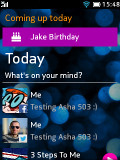
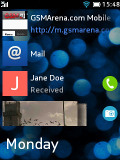
Homescreen and Fastlane
The Fastlane keeps track of all your recent activity, opened apps go there, recent web pages, along with contacts you've called, messages and emails, calendar events (birthdays, to-dos), recently installed apps, recently shared content over Bluetooth, recently taken notes and pictures, radio stations, and even social network posts, replies, likes and goings-on.
The Fastlane in the new Asha 1.2 version not only supports all of these, but also allows you to personalize your content. You can now opt out of some of those services in case you are getting overloaded with icons.
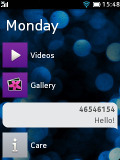
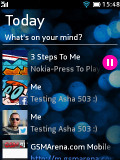
Fastlane
The music player will appear in the Fastlane if you've played a track - that makes sense really. What you get is a line with the track name, a tap on which will take you to the Music Player app. Alternatively, a tiny play/pause button next to the track name, will simply resume or pause playback without going into the app itself.
The app launcher is a 4 x 4 grid. All the apps you install reside here and you can rearrange them as you see fit but you cannot create folders. A tap and hold inside the app launcher triggers edit mode, where you can rearrange the app order or delete apps.
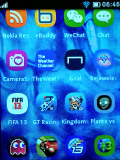
The app launcher
A tiny number icon on the Messaging icon in the app launcher shows the text messages you have received but not yet read. That works for email too.
You can tap pull down the status bar to show notifications for missed events and quick toggles for sound profiles, Wi-Fi, Bluetooth and mobile data.
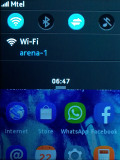
Notification area
In case of a missed call, which requires your attention, the notification area drops down a bit to briefly display the number and then pulls back up, leaving a small handle as a reminder, which you can pull to see who's been calling you.
To close an app you just need to swipe it away from either end of the screen and you'll be back to the app launcher screen. You can also close apps by holding the Back button but for some apps you'll get a prompt to confirm you want to close.
Some apps give you a context menu, which is accessible via a swipe from the bottom.
The interface runs reasonably fast and is easy enough to navigate. Once you get a feel for the swipe navigation there's really no way to go wrong. Even if you open an app by mistake it's only a swipe from either edge of the screen to exit and get back to first base. The notification area comes in handy for toggling quick settings like Wi-Fi or Bluetooth and spares you the need to open up the settings menu. Recently opened apps are just a swipe away in the Fastlane.
Phonebook
The phonebook displays a list of names and pictures only. There is a search field at the top and a hidden alphabetical scrubber on the right. A swipe up from the bottom of the list gets you the Advanced menu and an Add new contact shortcut.
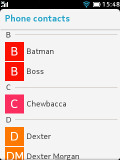
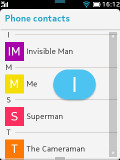
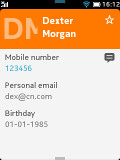
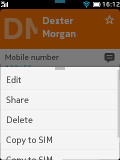
Contacts
The actual contact details are displayed on a completely redesigned screen. You get the contact's picture on the left and the contact's name right next to it. There is also a small star on the right which will promote the contact to your Favorites list.
You can add various details to your contacts, like numbers, mail address, ringtone or a URL. You can also choose where to save your contacts - the SIM or the phone memory. Only two sorting options are available - by first or last name. Contacts can be copied, moved, linked to another contact or deleted either individually or in bulk.
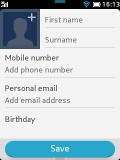
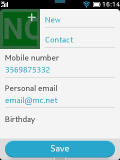
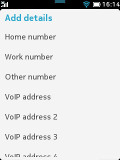
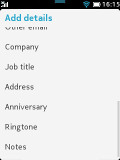
Editing a contact
Hassle-free telephony
The Phone app of the Asha 503 is pretty straightforward and works well. The app integrates with the Call log and the Dialer and that's more than welcome.
The dialer itself is pretty standard, but sadly it doesn't offer smart dialing.
In case you've entered VoIP settings, you can initiate a VoIP call from here by holding the # key.
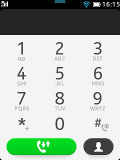
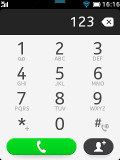
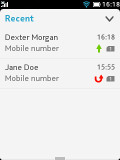
The Dialer • The call log
The in-call screen shows options for the keypad, muting a call, putting it on speaker, holding it and entering contacts. If you leave the in-call screen the status bar will notify you of an ongoing call and within a tap on it you'll be back to the Dialer.
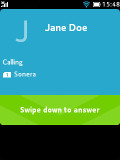
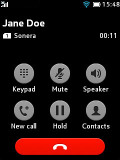
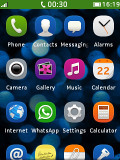
In-call screen • During a call on homescreen
Reception with the Asha 503 was consistently good and in-call sound was loud and surprisingly clear.
We've put the Asha 503 loudspeaker through our traditional test and we found it loud enough not to miss calls or notifications.
| Speakerphone test | Voice, dB | Ringing | Overal score | |
| Apple iPhone 5 | 66.8 | 66.1 | 67.7 | Below Average |
| Nokia Lumia 520 | 68.2 | 69.0 | 66.5 | Average |
| HTC One mini | 68.0 | 68.7 | 78.1 | |
| Nokia Asha 501 | 73.1 | 68.1 | 78.0 | |
| Nokia Asha 503 | 75.1 | 72.1 | 75.8 | |
| 81.3 | 71.3 | 75.5 | ||
| 77.1 | 75.7 | 83.6 |
Messaging
The messaging department has everything covered - text messages are organized in threads, there's a chat client with support for multiple services and of course, a feature rich email client with quick setup.
A tap and hold on a Conversation in lets you delete the conversation. Creating a message is pretty straightforward. You can add multiple contacts from your phonebook or simply punch in numbers.
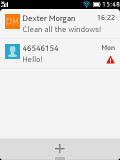
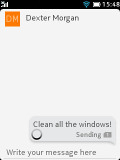
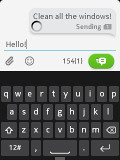
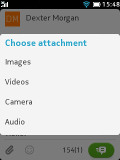
The Messaging app
For text entry, you can choose between a multitap keypad and a QWERTY keyboard (the default option). You get a character and message counter either way. Unfortunately, there's no text selection or copying.
If you choose to attach an image, video or audio file, your message will be automatically converted to an MMS. If you opt for an email instead a phone number, you'll be also sending a multimedia message instead of a regular one.
The QWERTY keyboard is completely redesigned and we found texting on the Asha 503 extremely easy despite the small screen and keyboard keys. The accuracy of the keyboard is really impressive. Both portrait and landscape modes of the keyboards are available as well as text prediction.
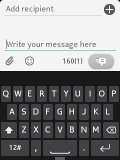
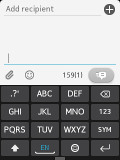
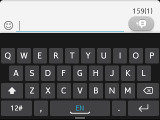
The multitap and the QWERTY keyboards
The email client supports various services such as Google, Yahoo, Hotmail, etc. with easy email setup, but you can always manually configure an account too. It works with POP3, SMTP, and IMAP4 protocols and supports SSL.
The default email view mode is Inbox but Folder view is supported too. Multiple emails can be deleted using the advanced menu at the bottom of the screen. You can switch between accounts from the Mail client's homepage.
A tap and hold on an email will allow you to reply, delete, star, forward or mark it as read/unread.
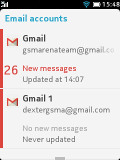
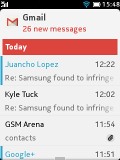
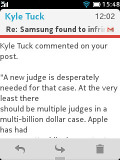
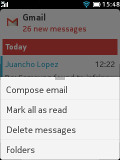
The email client
Emails are received in the background and a small asterisk appears over the Mail icon in the app drawer when a new email has arrived.
The chat client supports multiple services - Facebook, MSN Messenger, Google Talk, Yahoo and Nokia Chat. The tabbed UI of the OS is pleasantly thumb-friendly. WhatsApp is also onboard.
File manager reports for duty
Nokia has a long tradition of supplying file managers on S40 handsets and the Asha 503 makes no exception. The nicely functional app has a clean interface that first lets you select between phone memory and the SD card. You can mass copy, delete and move items and folders, create new folders and sort by name, size, newest and oldest.
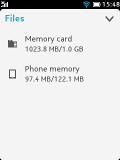
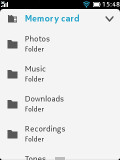
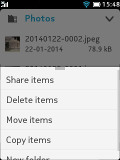
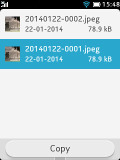
The File manager
Useful image gallery
The gallery on the Nokia Asha 503 has two tabs - the all captured tab, which holds all the images and videos you've captured with the Asha 503 and the folder view, which gives you the captured, favorites, modified and received.
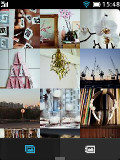
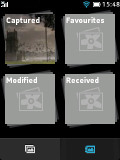
The Gallery
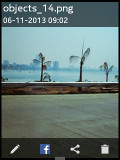
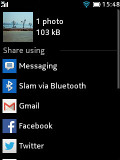
Images are shown in a grid of three by three that is vertically scrollable. You can pinch to zoom on images but strangely double-tap doesn't work here. You can also share photos via email or Bluetooth and edit them. Editing options include rotating, flipping, cropping, lighting and contrast adjustment and adding color effects. The edited images go into the Modified folder.
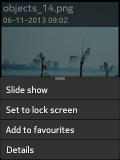
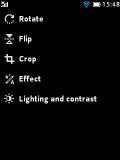
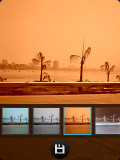
Viewing and editing images
You can set images as wallpapers, add them to favorites, see details and start a slideshow from the pull-up context menu.
Nice music player
The Nokia Asha 503's music player has a neat interface and starts up with album art on top of the available sorting options: songs, artists, albums and playlists. There's no folder view and no additional settings for sound, such as an equalizer.
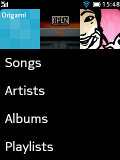
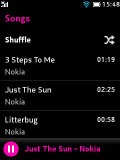
Music Player
The now playing screen shows the timeline, album art, track and artist name, along with four toggles - skip, FF, play/pause and a home icon which takes you back to the start screen. The now playing screen features a pull-up context menu from the bottom of the screen, which gives you options to fav a song, shuffle, repeat and share.
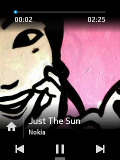
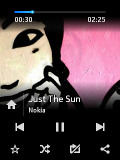
Now Playing
The song will keep playing even if you exit the player - you get a shortcut in the Fastlane and on the lockscreen with play-pause-skip controls readily available.
Music controls in lockscreen and Fastlane
A tiny video player
There is a dedicated video app that has all of your videos in a scrollable list of thumbnails. You can share, delete or view detailed information from the swipe-able menu at the bottom of the screen.
The Asha 503 is capable of playing 3GP/MP4/Xvid/DivX videos up to VGA resolution, but you can experience some hiccups with the audio if the bitrate is higher than the phone can handle.
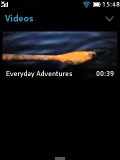

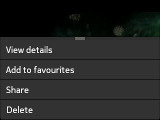
The Asha 503 video player
The Now Playing screen offers very basic user interface with just a Play/Pause button and a scrubber.
Stereo FM radio with RDS
The FM radio on Nokia Asha 503 comes with a neat and simple interface. You can change stations with the dedicated controls on both sides of the centered tool for manual station tuning.
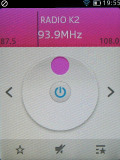
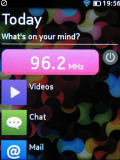
The FM radio app
At the bottom there are three controls - a star to fav a station, play from speaker and a list of your favorite stations.
Just like with the music player, the FM radio will keep playing when you exit the app - you get a shortcut in the Fastlane and on the lockscreen with the station information and an off switch.
Audio quality good for the class
With no resistance applied to its line-out (when used with an active external amplifier), the Nokia Asha 503 does decently well, achieving very good scores and garnishing them with high volume levels.
Plugging in a pair of headphones leads to spikes in intermodulation distortion and stereo crosstalk as well as a rather big drop in volume levels. Overall, the Asha 503 retains its output better than its Asha 501 sibling, though and while it's certainly not the most talented portable music player around, it does as well as you could expect given its modest price tag.
And here come the full results so you can see for yourselves:
| Test | Frequency response | Noise level | Dynamic range | THD | IMD + Noise | Stereo crosstalk |
| Nokia Asha 503 | +0.14, -0.34 | -88.3 | 88.2 | 0.027 | 0.036 | -82.1 |
| Nokia Asha 503 (headphones attached) | +0.71, -0.53 | -87.8 | 87.9 | 0.021 | 0.464 | -50.6 |
| Nokia Asha 501 | +0.21, -0.27 | -80.4 | 81.4 | 0.034 | 0.049 | -82.3 |
| Nokia Asha 501 (headphones attached) | +0.79, -0.33 | -80.6 | 81.6 | 0.034 | 1.001 | -53.6 |
| Nokia Asha 308 | +0.17, -1.69 | -81.5 | 81.5 | 0.028 | 0.048 | -78.2 |
| Nokia Asha 308 (headphones attached) | +0.67, -1.83 | -81.9 | 82.0 | 0.039 | 1.172 | -58.5 |
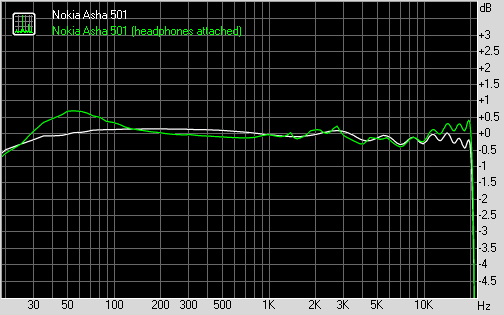
Nokia Asha 503 frequency response
The 5MP fixed-focus camera is a mixed-bag
The Asha 503 has a 5.0 MP camera which is capable of capturing images of up to 2592 x 1944 resolution. There is a tiny LED flash to help you in low-light conditions as well.
The camera interface is simple - tap wherever to take a picture or tap and hold to bring the advanced options. Just like on Windows Phone, a swipe to the right will bring you into the gallery, while a wipe to the left launches the camcorder.
Upon a tap and hold you get additional settings - set the flash on/off, adjust white balance, self-timer, live effects and shutter sound, which can be disabled too. You can also preset the resolution of the images with a choice between 5MP, 3MP, 2MP, 1MP and VGA.
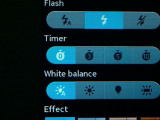
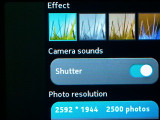
Camera app
As the specs suggest, images produced by the Asha 503 will capture anything of importance but won't provide you with much quality. There is enough resolved detail, but the colors and white balance are often quite off. Purple fringing is noticeable as well plus the noise reduction can be pretty harsh on some occasions. As we said - the pictures will do for whatever interesting is happening around you, will even pass for Facebook once resized, but you shouldn't capture your sweetest moments with Asha 503's camera.
Here go the samples.
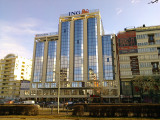
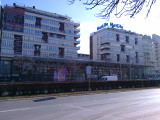

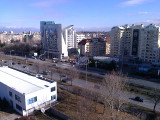
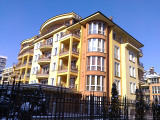
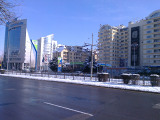
Nokia Asha 503 camera samples
Photo quality comparison
5MP shooters are getting very rare these days, but there are still plenty you can compare the Asha 503 against. It has good amount of resolved detail, but the color reproduction and white balance are off quite often.
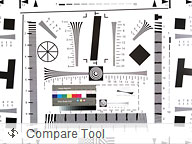
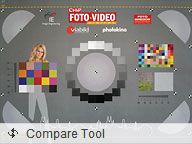

Nokia Asha 503 in our Photo quality comparison tool
VGA video at 19 fps fails to impress
When it comes to video capture, the Asha 503 was way out of its depth. The camera can produce VGA videos with a framerate of 19fps. Sound is recorded in mono at 31Kbps and a sampling rate of 16kHz, the video bitrate hovers around 1600 Kbps.
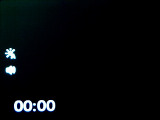
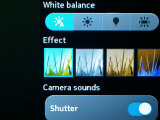
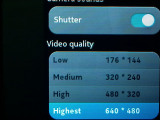
Video settings
As you can tell, those videos are hardly good for anything rather than some very short funny video of your cat you want to share over YouTube. Still if you are interested in the results you might check out thisuntouched VGA@19fps sample video.
Connectivity has 3G and Wi-Fi N
The Nokia Asha supports quad-band GSM/EDGE and dual-band 3G networks. HSPA is supported too, you get HSDPA speeds up to 7.2Mbps and HSUPA up to 5.76Mbps.
Then there's Wi-Fi b/g/n, which will get you fast data speeds and it doesn't eat into your data plan. Bluetooth 3.0 with EDR handles things like wireless handsfree dongles but also local file sharing.
The Asha 503 uses a microUSB port for both data connections and charging. There is no USB on-the-go support, though.
The 503 also has a memory card slot (and a complimentary 4GB microSD card). Coupled with a card reader it can usually give you the fastest data transfer rates.
And finally, there's the standard 3.5mm audio jack.
The web browser saves you up to 90% of data
The Asha 503 has Wi-Fi and 3G connectivity. The latest Nokia Xpress browser uses server-side compression so it offers a good experience on EDGE and 3G networks.
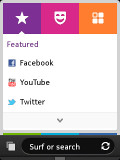
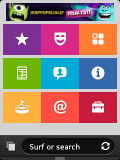
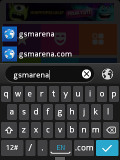
There's tabbed browsing and you can save favorite websites as tiles in an Opera-like speed dial.
The web browser
There's a neat start page with categories such as Featured, Mail, Sports, Social Networks, Entertainment, etc. The pull-up context menu gives you quick access to recent, favorites, downloads, web apps and more.
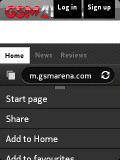
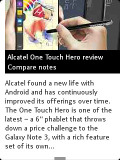
Browsing GSMArena.com on the Asha 503
The settings of the browser let you choose the quality of the preloaded images, from lower to best quality. Images can be disabled altogether too. There's a password manager as well.
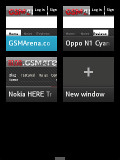
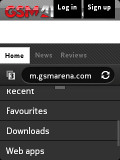
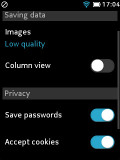
Tabs • Browser options
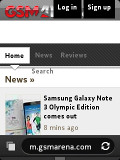
The browsing experience isn't spectacular on the Asha 503. Pages load reasonably fast but don't look their best on the tiny 3-incher of QVGA resolution. Still, the Asha 503 will certainly let you check the score of your favorite team's last game or browse through the news websites.
Organizer and apps
The organizer on the Nokia Asha 503 is decently stocked and its apps have been nicely touch optimized.
The Calendar starts off in month view. Day view is also available but week view has gone missing.
Adding event has been unified and instead of various options available, you have a single interface. You can set start and end time, reminder, location and repeat interval. You can mark the event as a birthday which will set it to repeat automatically every year.
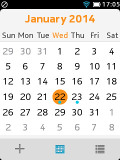
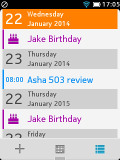
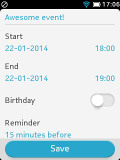
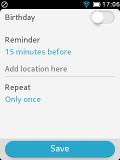
The Calendar app
The alarm app uses two rotation rings, making it easy to set the time and you can make it go off only on specific days. You can customize the snooze time too.
Multiple alarms are available, unlike previous version of the alarm app for the Asha platform.
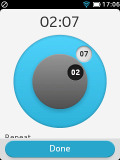
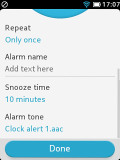
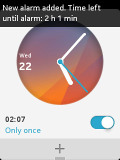
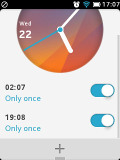
Setting alarms
The other organizing features include a voice recorder with 2 hours limit and a basic calculator.
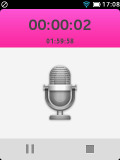
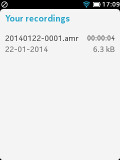
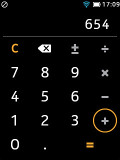
Voice recorder • Calculator
Notes is a mandatory app for every organizer and despite the basic interface, Asha 503 Notes app does the job right.

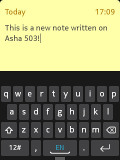
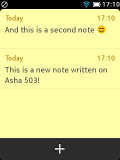
Notes
There are also pre-installed Facebook and Twitter clients.
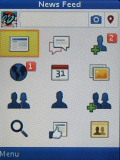
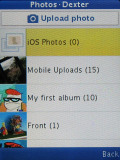
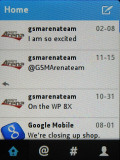
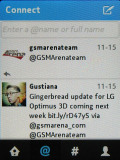
Facebook • Twitter
Weather app is available as well.
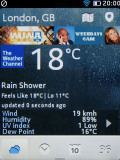
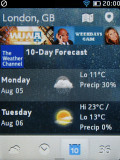
The Weather app
The Nokia Store is now offering a complete office package advertised by Nokia. It's called My Pocket Office and allows you to read Word, Excel and PowerPoint documents. You can learn more about it righthere.
Nokia Store has lots off apps and games
You can browse the apps available in the Nokia Store by categories - Applications, Games, Personalization; or by collections.
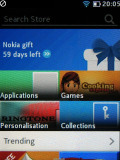
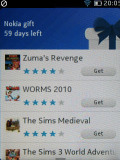
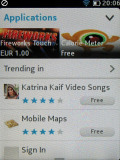
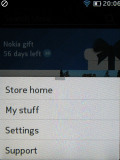
The Store offers plenty of free content
Your account profile keeps track of all the apps you have installed under My stuff.
There are plenty of apps and games there, a lot of them free. They are still behind the big players in the app store game, but for a feature phone having an app store at all is a major bonus.
As a part of joint promotion by Nokia and EA, Asha 503 owners even have more than 20 games developed by the popular studio waiting for them in the Nokia Store - all for free. Some of them, like Plants vs Zombies, even come pre-installed.
Final words
The Nokia Asha 503 brings a more robust 5MP camera (be it fixed-focus) and 3G to a package we already liked, and that's what we can safely call a good start. Emerging markets are the most likely destination as usual but, yet again, the Asha series look capable of transcending borders. The Asha 501 looked like a good first phone for you kid or a decent second phone that won't break the bank and the 503 is bringing even more value.

And it's not just the added features - Gorilla Glass, fast network data, improved imaging and the "ice layer" re-design. The Asha platform has got an upgrade too - there's a better Fastlane and extended app support (WhatsApp for one). Asha has been getting closer to smart platforms with a dedicated application store, OTA firmware updates, improved social skills, notifications, quick toggles, office and organizer apps. You can of course opt for a dual-SIM Asha 503 too.
The design is another point in favor - granted the new "iced" look may not be everyone's cup of tea but the new styling and feel that started with the Asha 501 is fresh and relevant against the most likely Android rivals and, at the same time, consistent with the Lumia's design language. That new philosophy is matched on the inside as well - a fresh, fluid and good-looking interface.
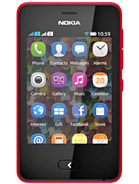
Nokia Asha 501
Overall, there're very few areas where the new Nokia Asha 503 failed to deliver. However the recent shifts in the market mean that the very existence of the niche can be questioned. Smartphone pricing has been dropping rapidly, meaning that the Nokia hybrid platform doesn't have the savings on its side any more.
And for all it provides, there's one area where it's got very little on the entry-level droids and WP smartphones - flexibility. You see for all the performance limitations, the most basic smartphones still have access to immensely larger app catalogues.
The LG Optimus L3 II will give you a bigger 3.2" IPS QVGA display, a 1GHz Cortex-A5 processor, a 3MP camera, 3G connectivity and Android 4.1.2 Jelly Bean for just under the price of an Asha 503. It's got a dual-SIM version of its own, too, taking away the other possible reason you might have to choose the featurephone.
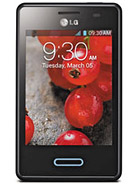
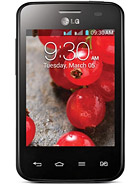
LG Optimus L3 II E430 • LG Optimus L3 II Dual E435
The likes of the Samsung Galaxy Pocket Neo and the LG Optimus L1 II may well be the cheapest droids on the market today. Both have 3G and a 3" QVGA display, 4GB of expandable storage and 2MP cams. They're powered by low-end single-core processors, and run Android 4.1.2 Jelly Bean. A very close match for the Asha 503 core features, and clearly behind in the imaging department, these two are even cheaper at about €65.
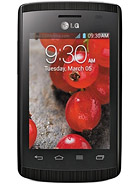
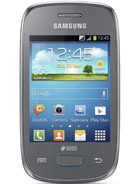
LG Optimus L1 II E410 • Samsung Galaxy Pocket Neo S5310
But a greater problem still is Nokia's best-selling smartphone in 2013 - the Lumia 520.The €20 price difference may be a lot in these parts of the market, but it's more than justified - several times the performance, a smoothly running proper OS and 5 times the screen resolution. Unless you really need the Asha 503 dual-SIM option which the Lumia 520 can't match or you absolutely can't afford it, you will be much better off paying the premium.
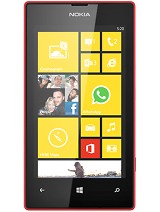
Nokia Lumia 520
So, it's the Asha 503 and the smartphones. The line has never been so blurred, when it comes to functionality, but the ecosystem misbalance makes the Nokia hybrid hard to recommend. Sure, there are certain use cases, when you'd be glad to get what is the best Asha so far.
If you like the design or if you are sure that all you are ever going to need is a simple phone for calling and texting than you shouldn't hesitate to buy it. It's certainly more durable than most of its peers so it is probable that it will serve its simple purpose longer. Yet if you are looking to get the best possible value for your money... well, let's just say there's a reason why the Asha lineup didn't make it to our last shopping guide.


 Posts
Posts


No comments:
Post a Comment